
← All forms
Microsoft Remote Desktop Services
RDS activation
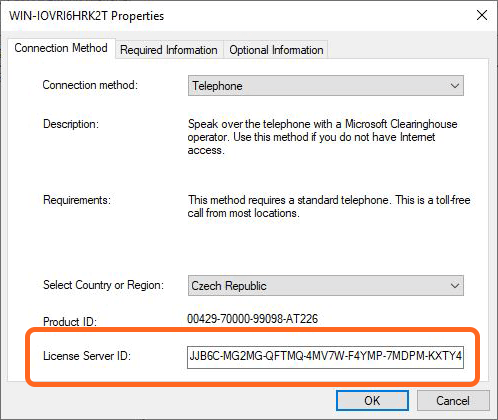
To receive the RDS CAL product key for your Windows Server, you need your License Server ID first.
RDS activation form
The activation process can take up to three days to be finished.
How do I find my License Server ID?
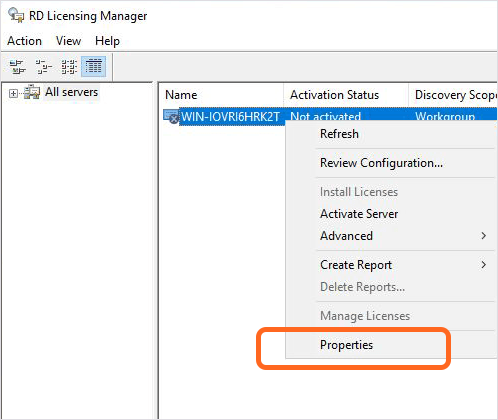
Start → Administrative Tools → Remote Desktop Services → Remote Desktop Licensing Manager → select the RDS server → right-click → Properties. The LSID is in the last row, below the Product ID.